How to enable the AI Assistant:
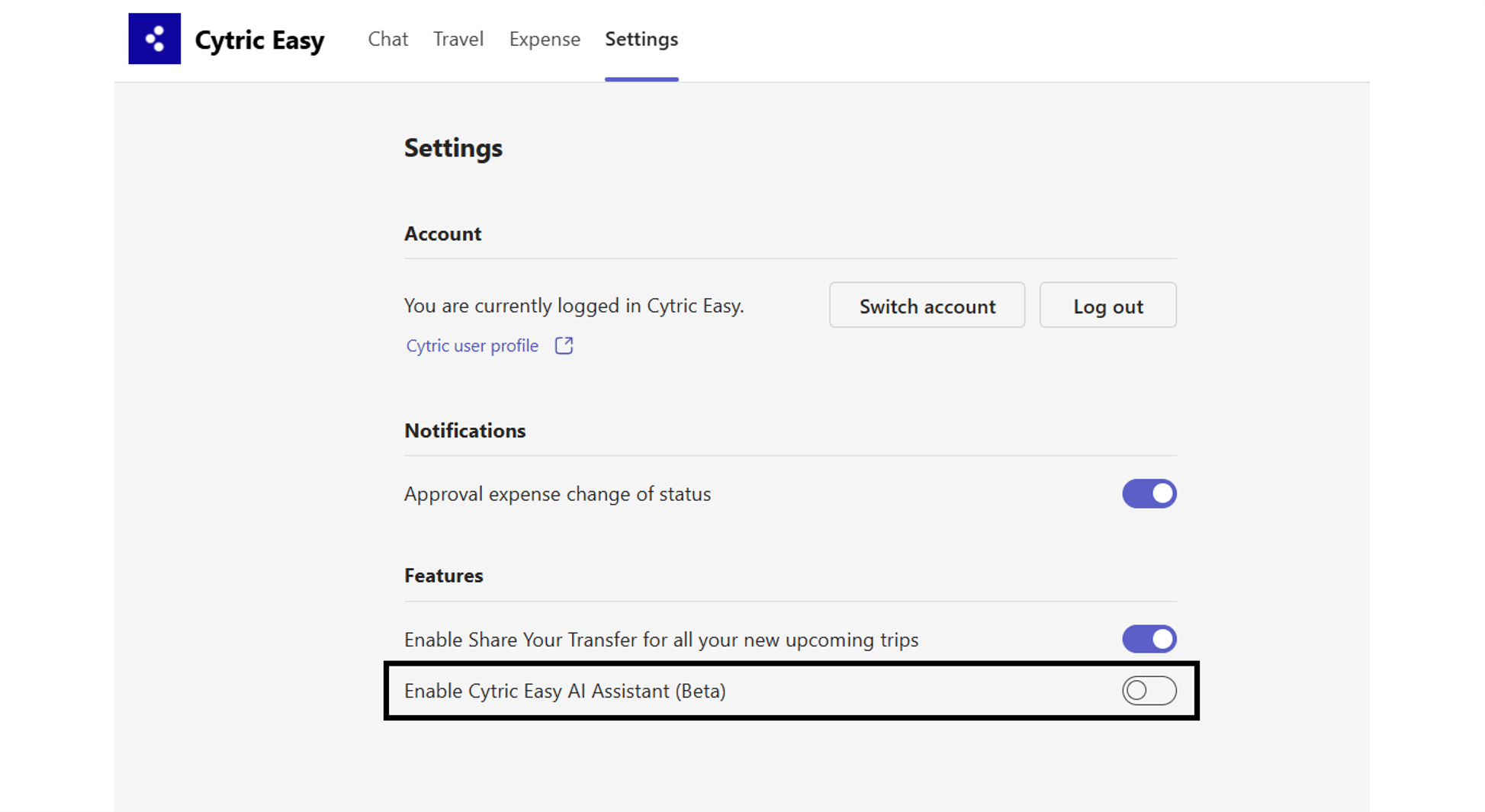
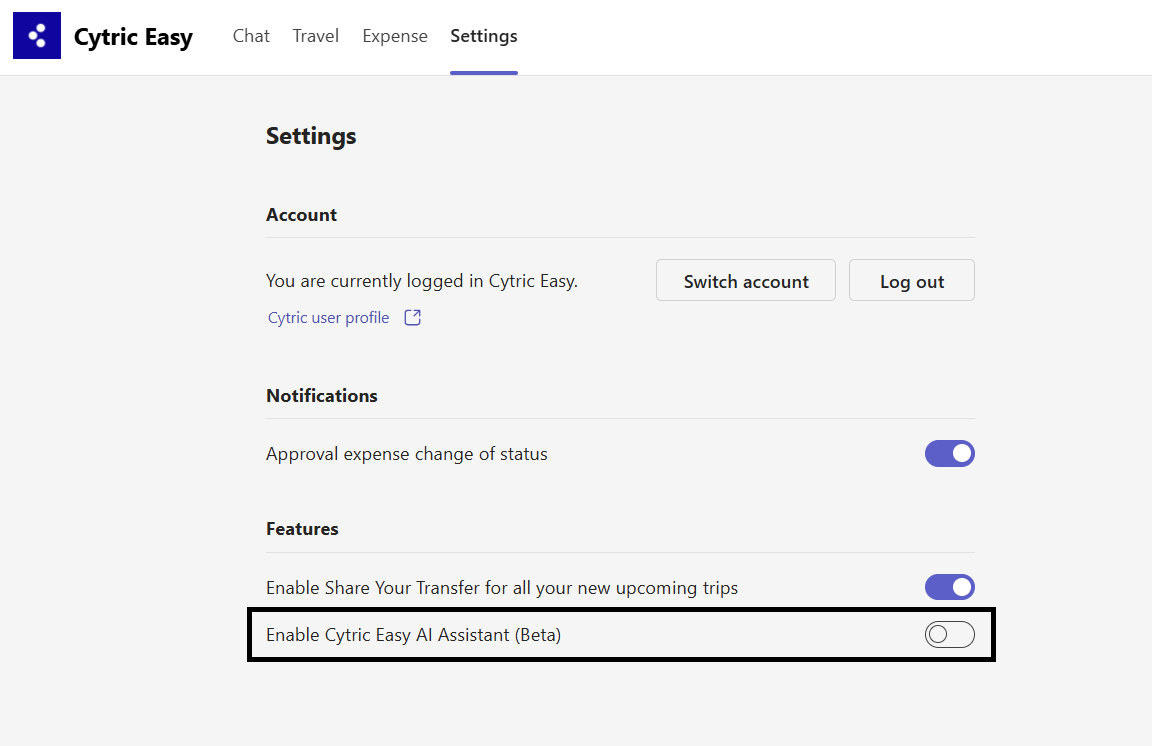
The AI Assistant in Cytric for MS Teams is initially disabled for users' accounts. To enable it, go to the Settings tab of the app and turn on the Enable Cytric AI Assistant (Beta) feature. You can then interact with the AI assistant in the Chat tab.Note: During the Early Adopter phase, it may be referred to as Cytric Easy.
Back to top
How to start a conversation?
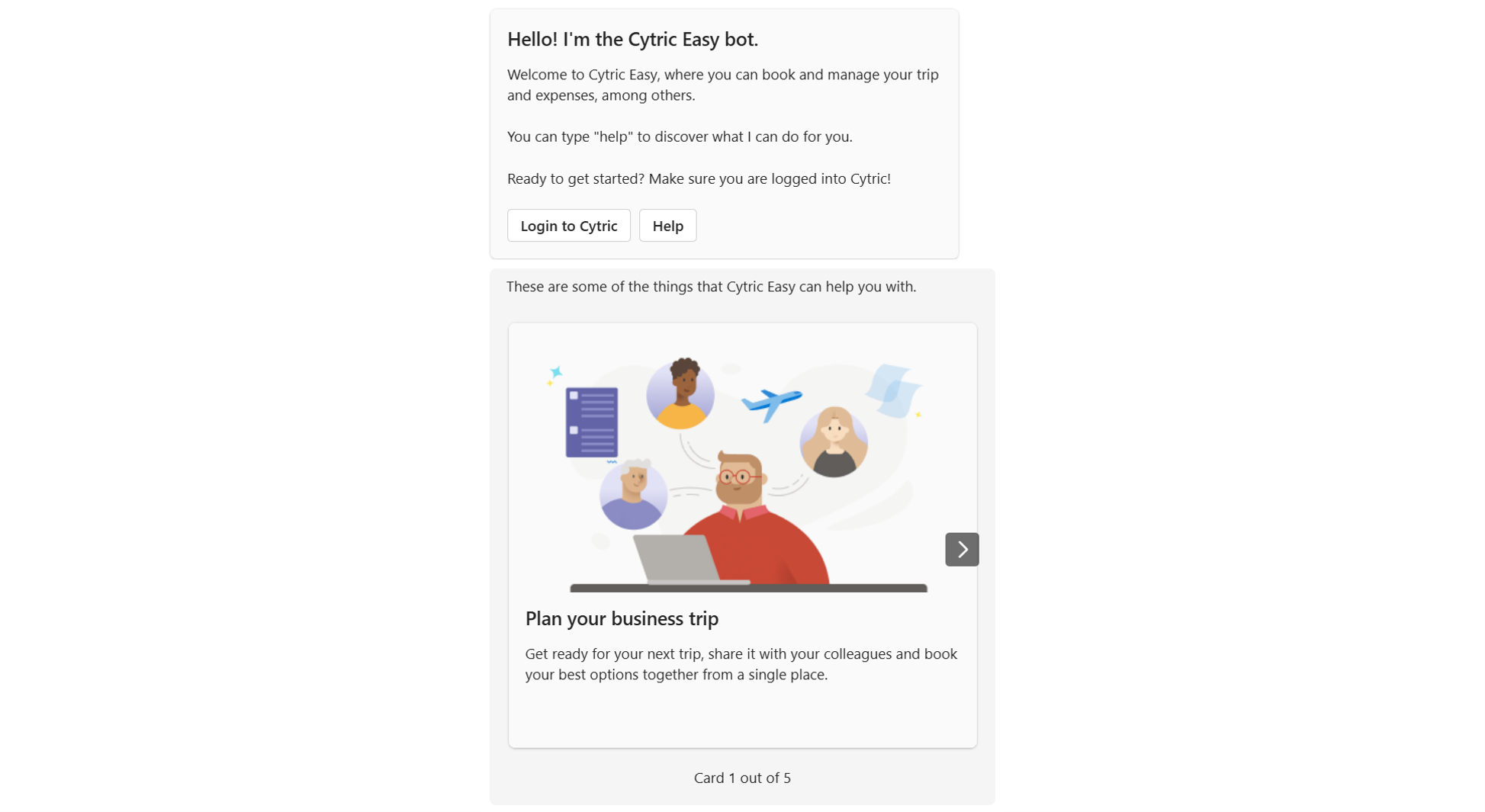
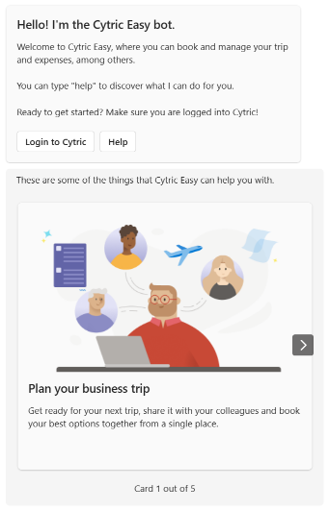
Opening the Chat tab for the first time triggers a Welcome message with an introduction to Cytric for MS Teams.Note: This might occur even if you haven’t activated the AI assistant or logged in to Cytric for MS Teams.
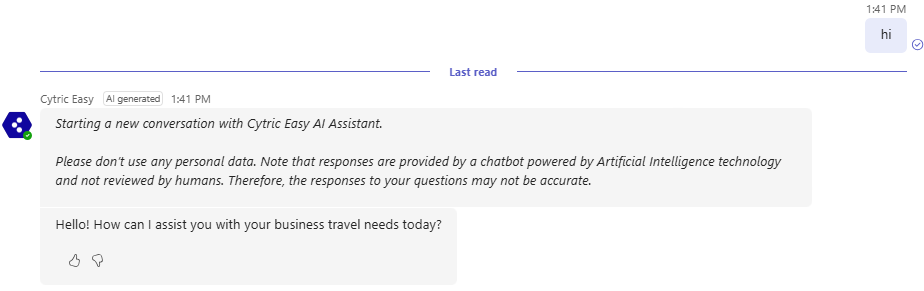
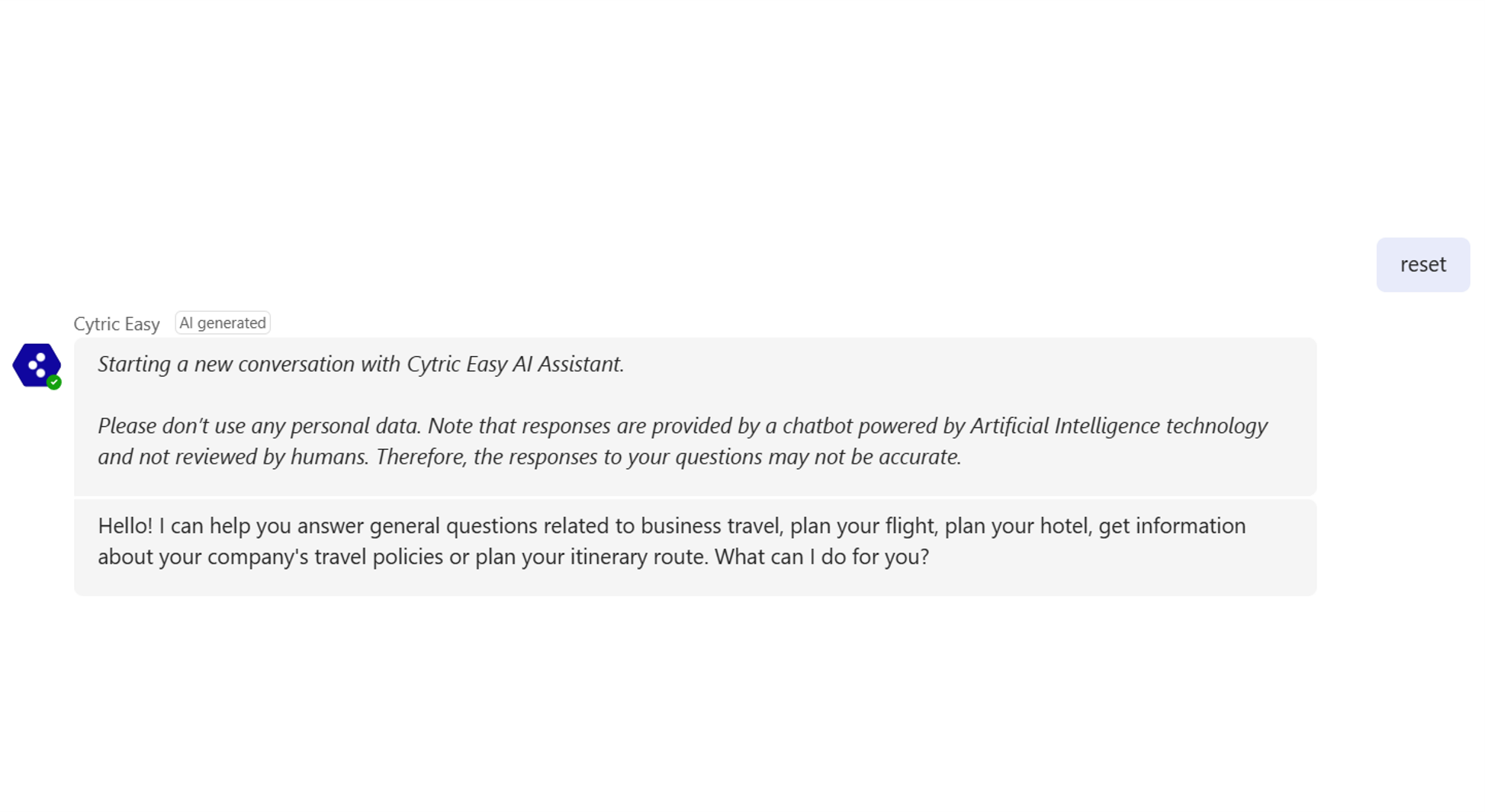
Upon activation of the AI assistant, an initial message will establish the connection. This introductory message will not be counted as a formal request, so you will need to restate your query to receive a response.
Please note: this process will occur only once.
Each conversation (or Session) with the AI assistant lasts about 15 minutes. During this time, the assistant remembers your requests. The context will be automatically cleared after 15 minutes of inactivity, and a new research session must be started.
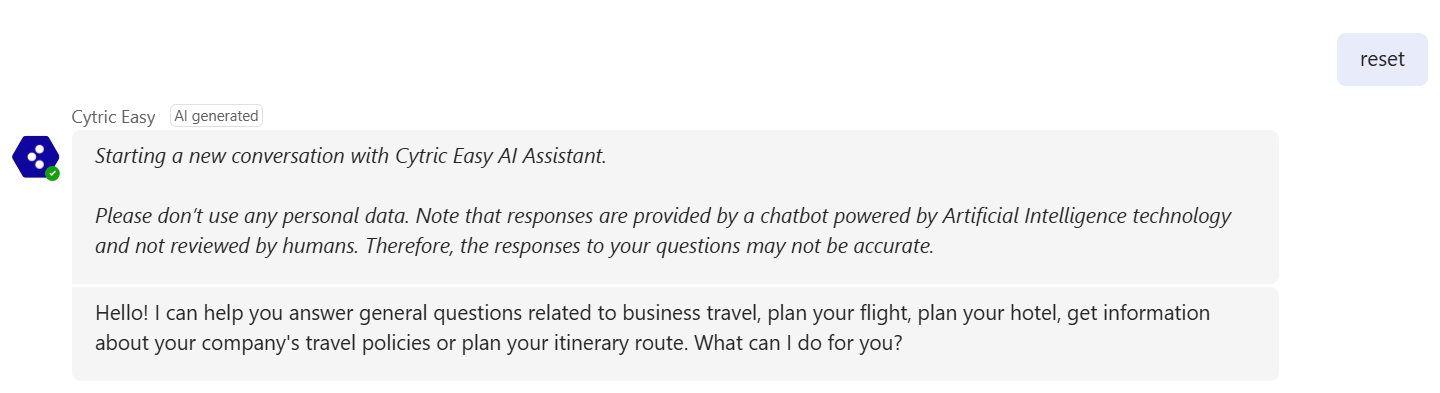
How to reset a conversation?
To begin a new session within 15 minutes, send a "Reset" or "Restart" request to the AI assistant. This will reset the current conversation, and the AI assistant will forget the previous session, allowing you to start fresh. Back to top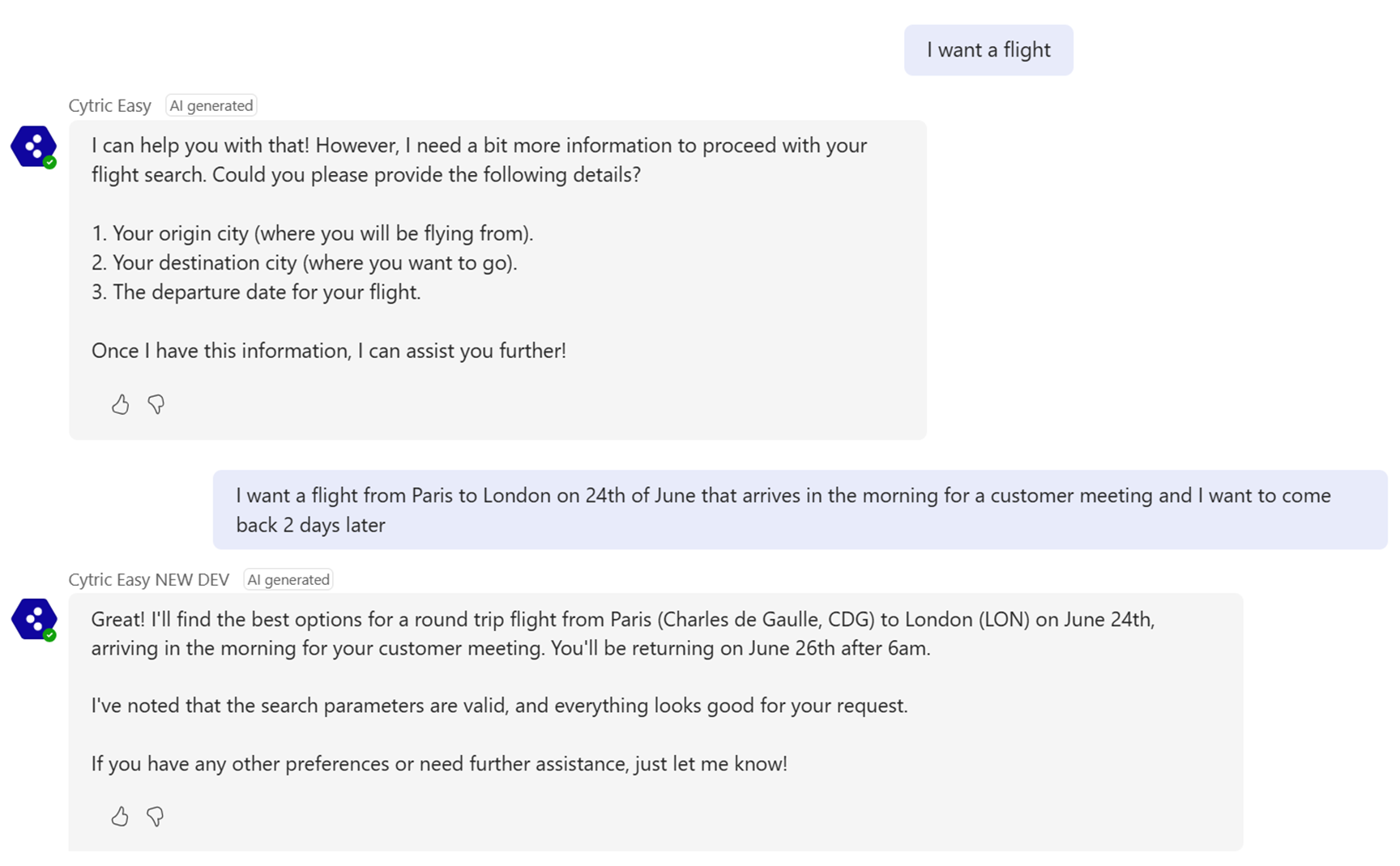
How to search for a Flight?
The AI assistant will search for flights by collecting details such as departure city, destination, dates, and trip purpose. If any required information is missing, it will ask you to provide it.The AI Assistant will soon identify your default departure city based on the settings in your Personal Preferences in Cytric, simplifying and personalizing the process.
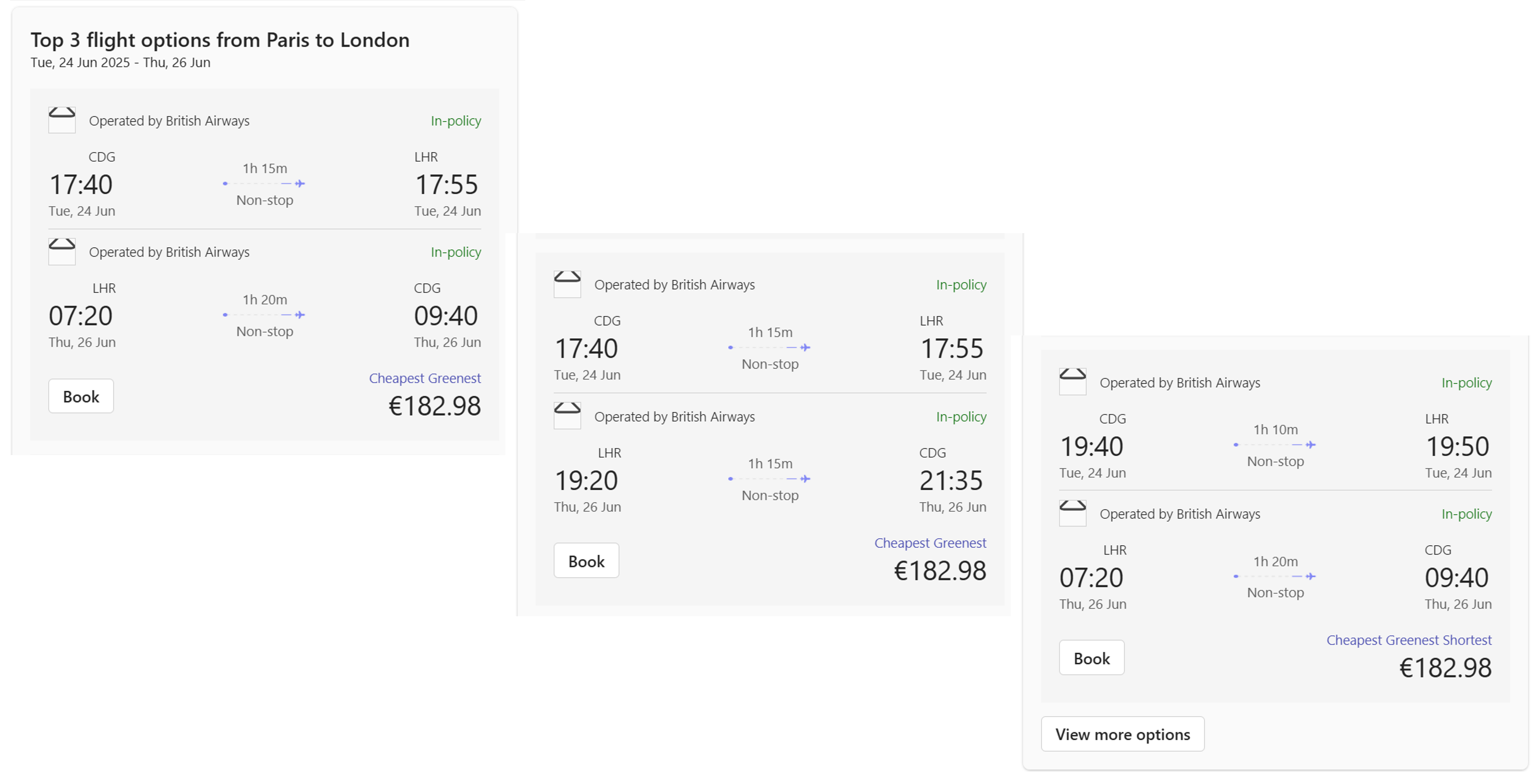
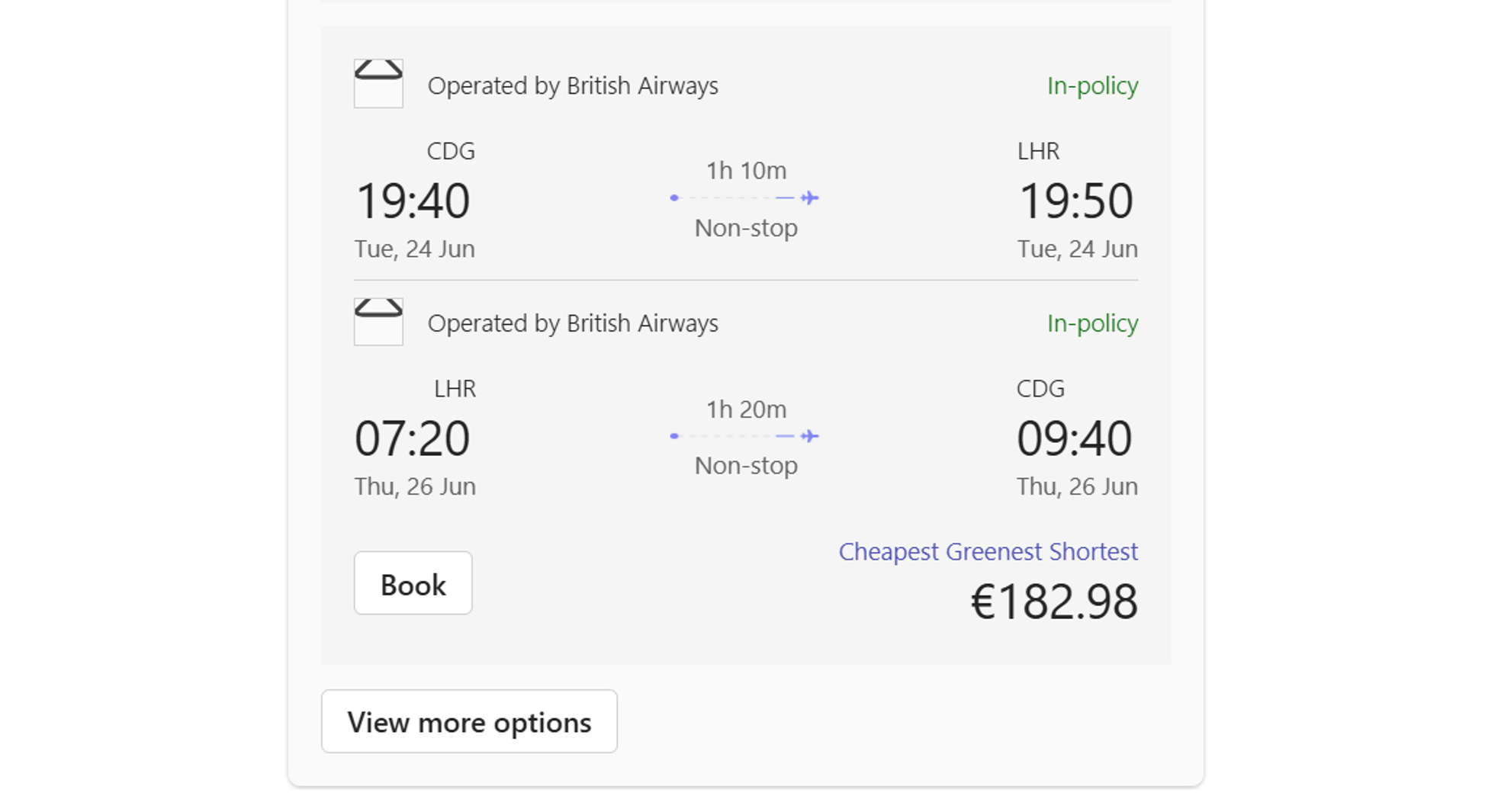
The AI Assistant offers the top 3 flight options based on your specified criteria, allowing you to book, view additional choices, or continue searching. These options include the most economical, environmentally friendly, and fastest flights, ensuring a broad range of choices. If no flights meet your criteria, the AI Assistant will inform you and suggest refining your search parameters.
Back to top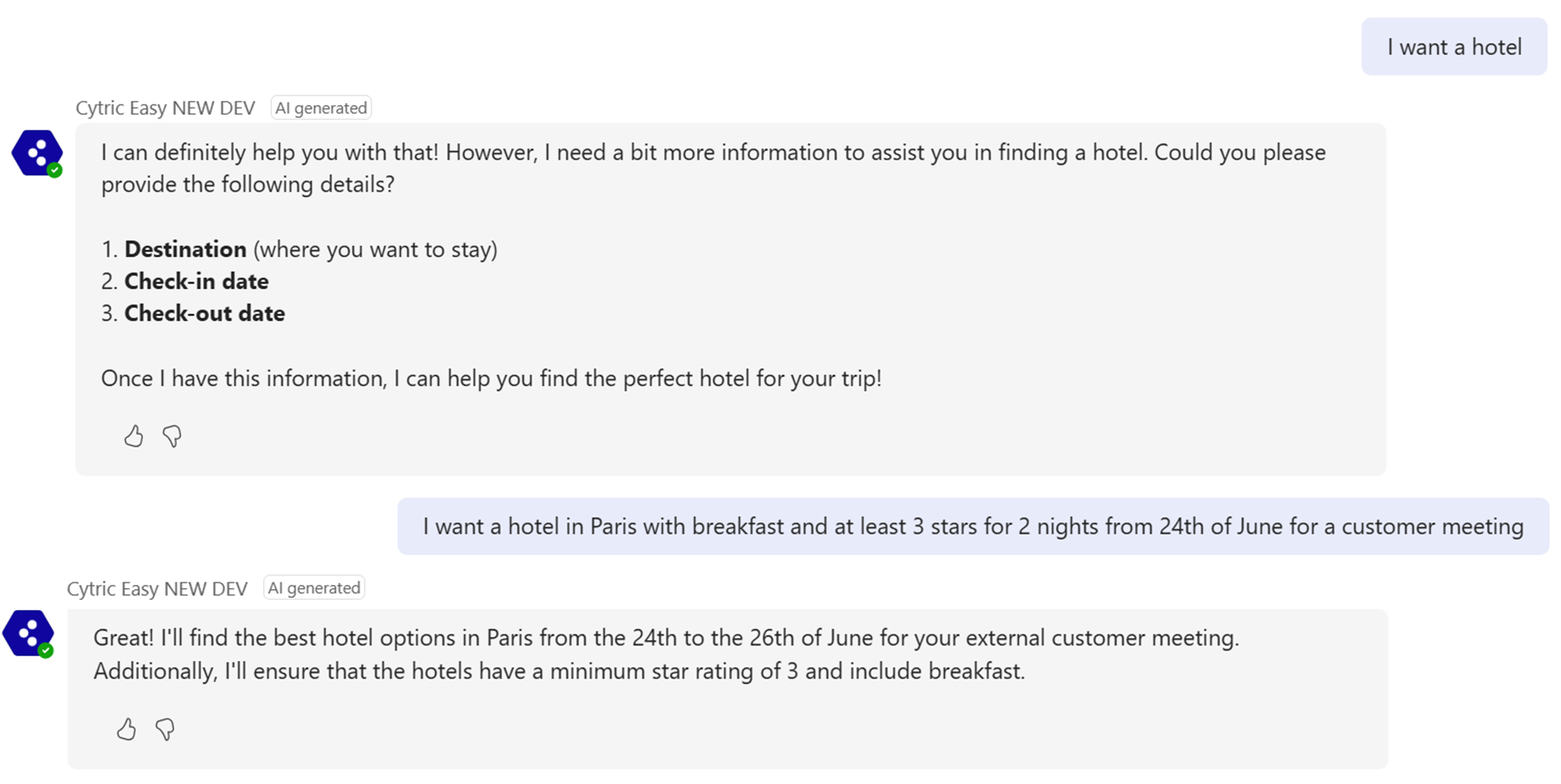
How to search for a Hotel?
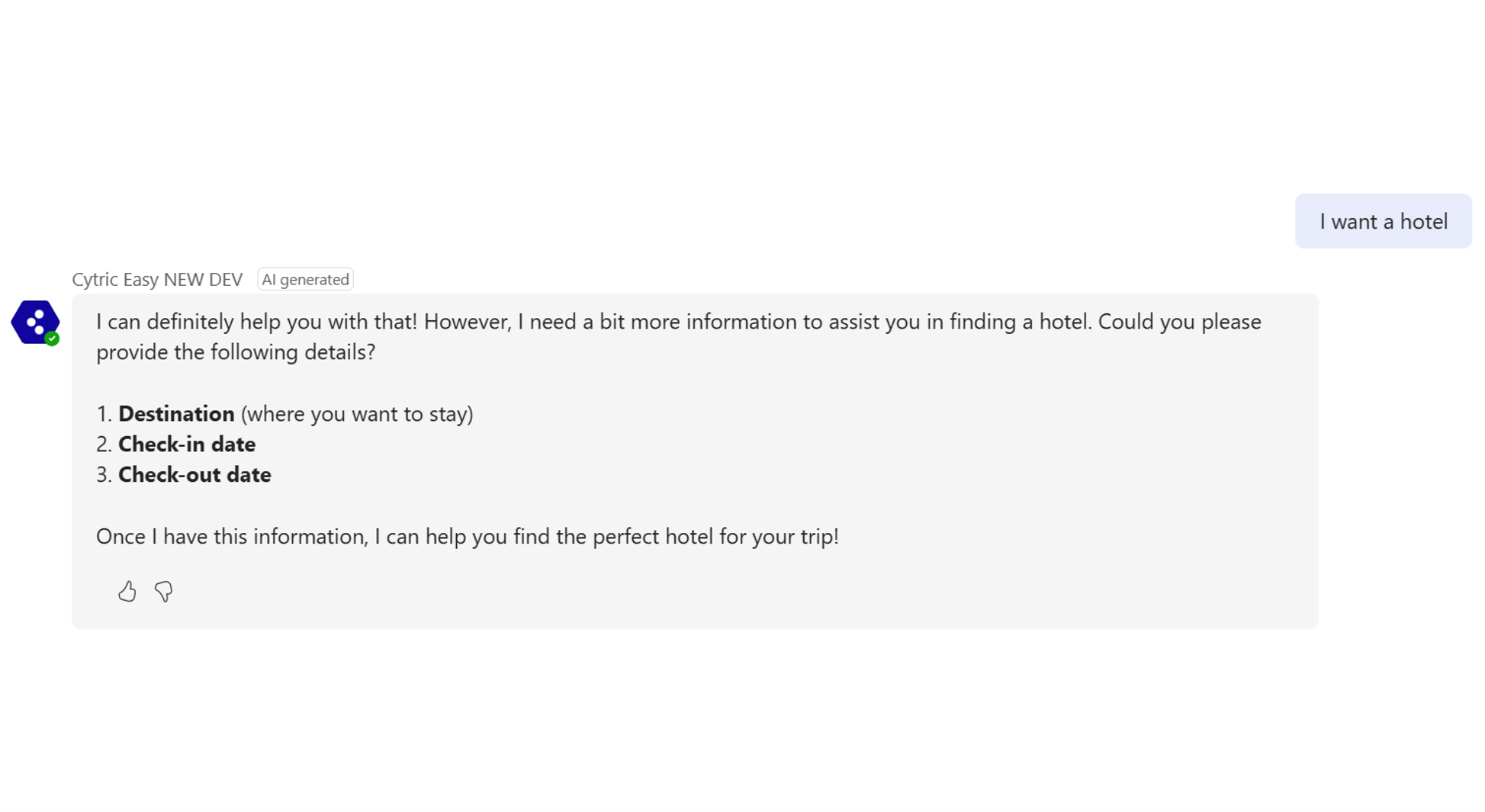
The AI assistant receives your intent to search for hotels and starts collecting information to find suitable options. It requests details like destination, check-in and check-out dates, and trip purpose for accurate results. It also asks about any missing mandatory criteria for a thorough search.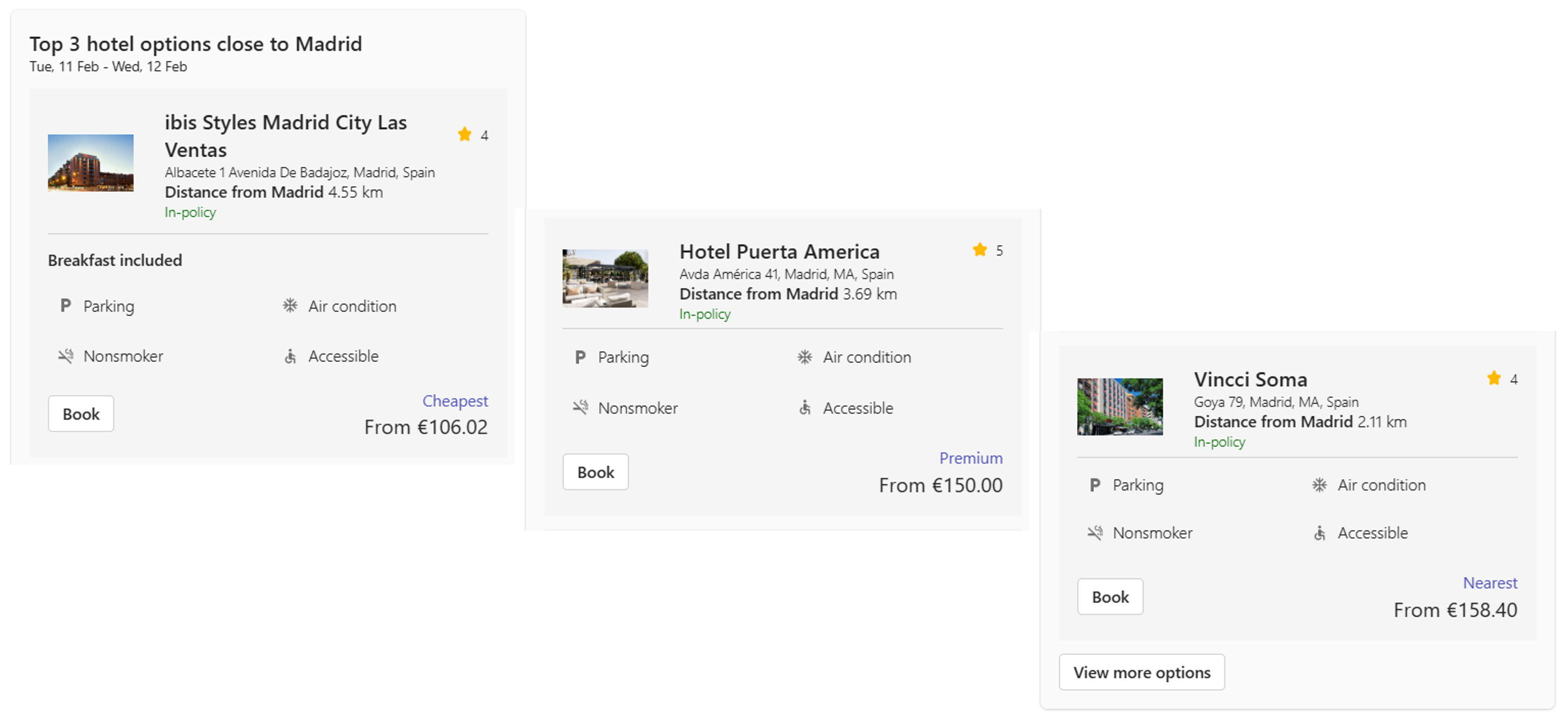
The AI Assistant provides the top 3 hotel options based on your criteria, allowing you to book, view more choices, or refine your search. The options include the cheapest, nearest, and premium hotels, offering a range of choices. If no hotel matches your criteria, the AI Assistant will notify you and suggest refining your search parameters.
Back to top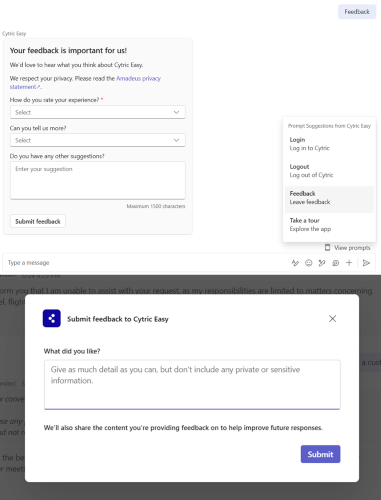
How to provide feedback?
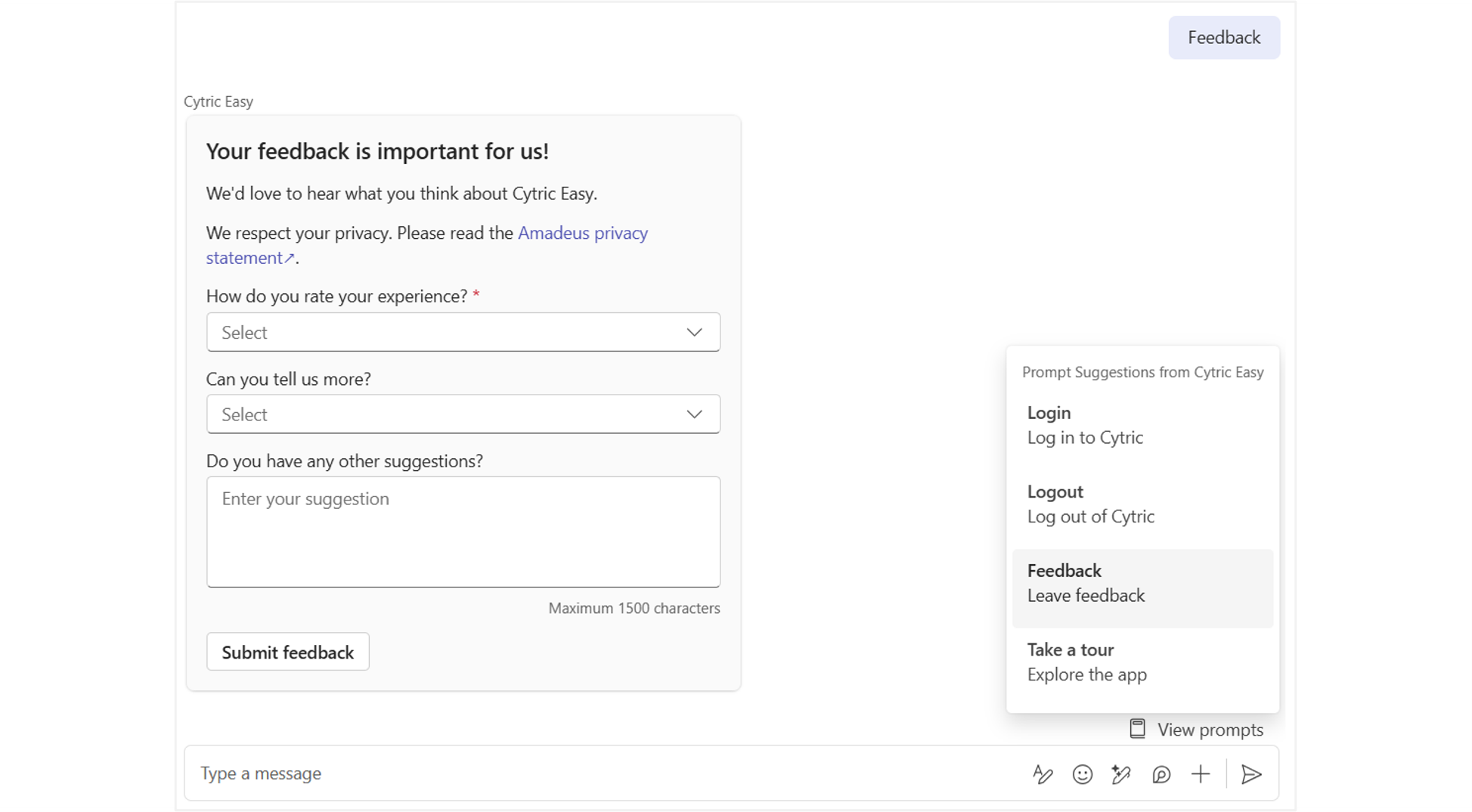
You can provide feedback in two ways:1. Provide overall feedback by typing "Feedback" in the chat or selecting it from the "View prompts" menu. This will open a Feedback form directly in the chat.
2. Provide feedback on the AI-generated responses by clicking the 'Thumbs up' or 'Thumbs down' icons on them. This will open a different Feedback form as a pop-up.
Note:Users participating to the Early Adopter’s Phase can provide feedbacks on Hypercare mode here Cytric AI Assistant Hypercare Support and select Suggestion - Functionality Evolution Back to top