How to use Cytric Easy Event Manager features?
How to add members?
You can add people to an existing Teams channel or Group Chat to invite them to the event and start planning it collaboratively.
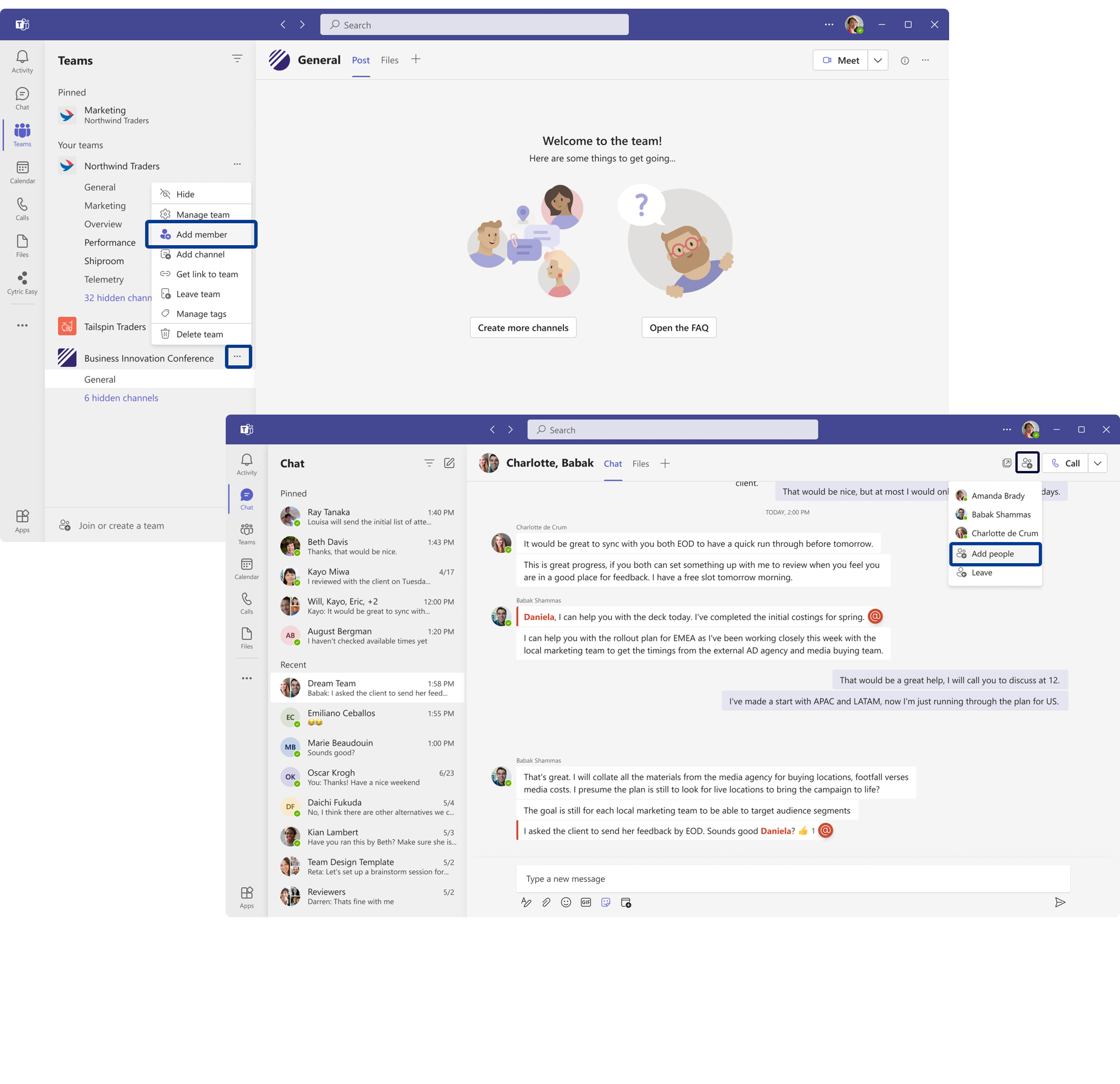
In a Channel, select the “more options” icon (…) beside the channel’s name and select “Add member”.
In a Group Chat, select the “members” icon at the Chat top bar and select “Add people”.
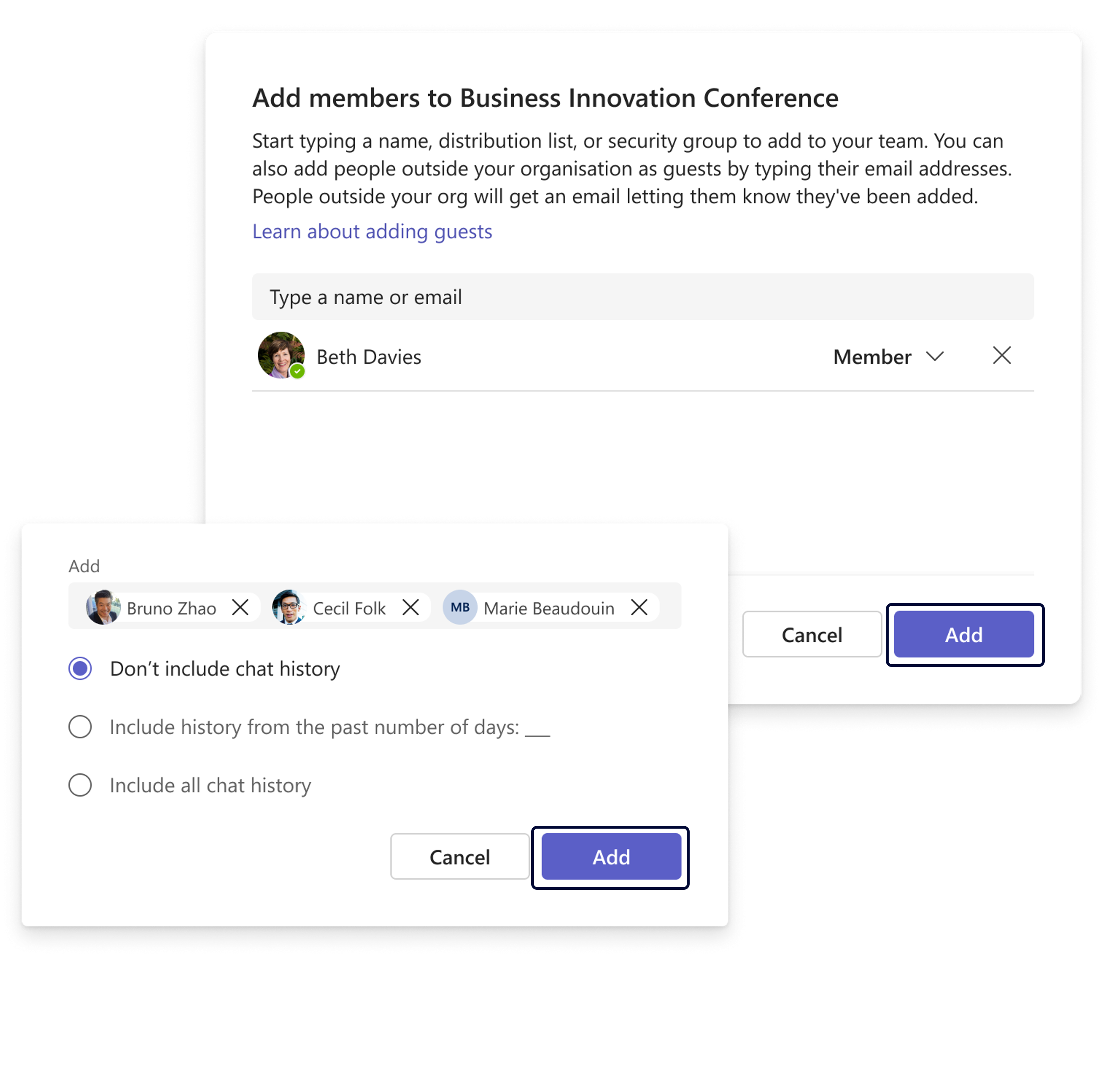
Type a name to start the search and add people to your team or chat, you can add multiple users at the same time. Select “Add” when ready.
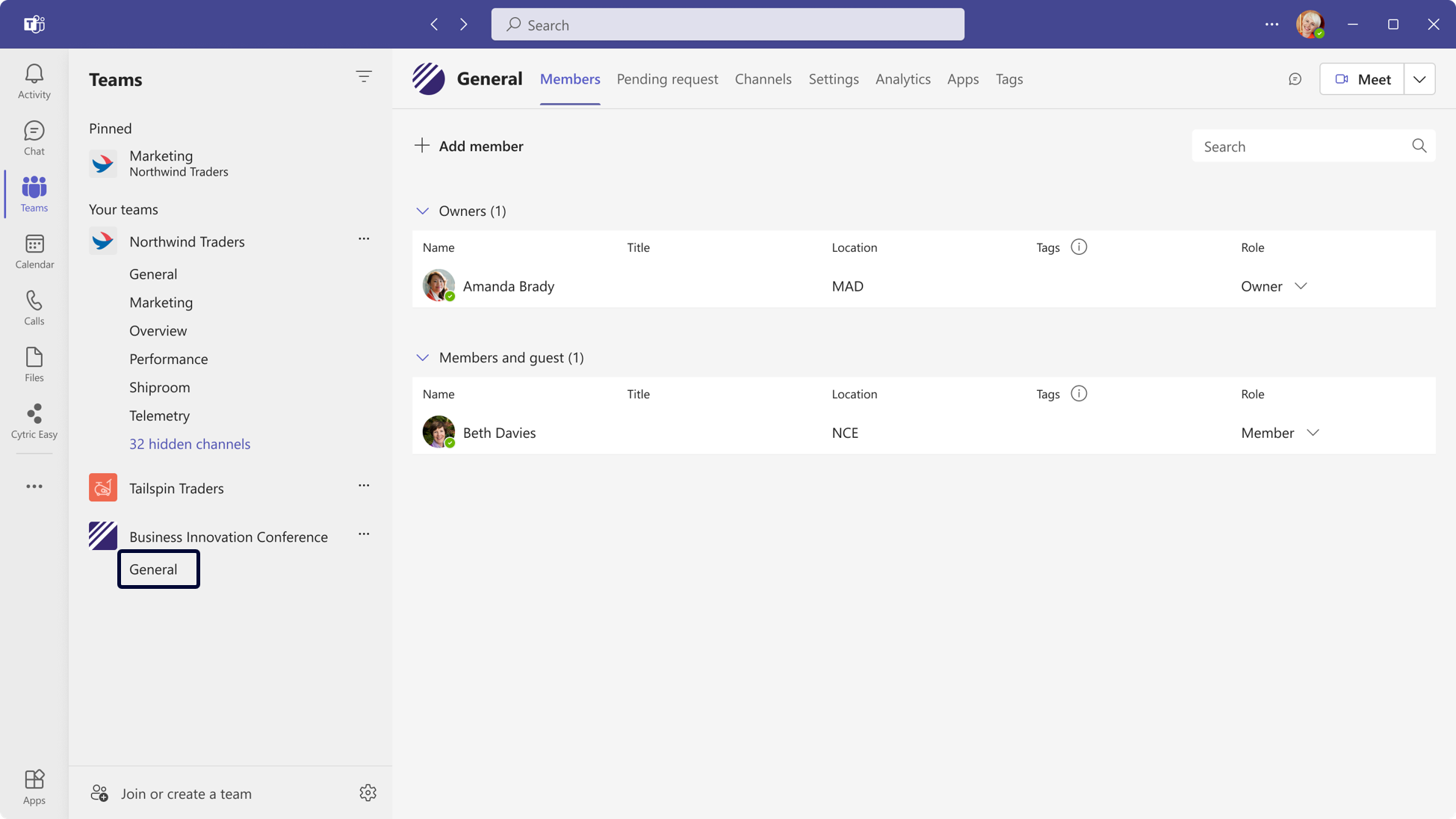
Once added to a Channel, you will see the Members tab. To go back to the Event Manager, select “General” channel and go to the Event Manager tab.